Text Formatting Exercises
Exercise 1 : Square of Numbers
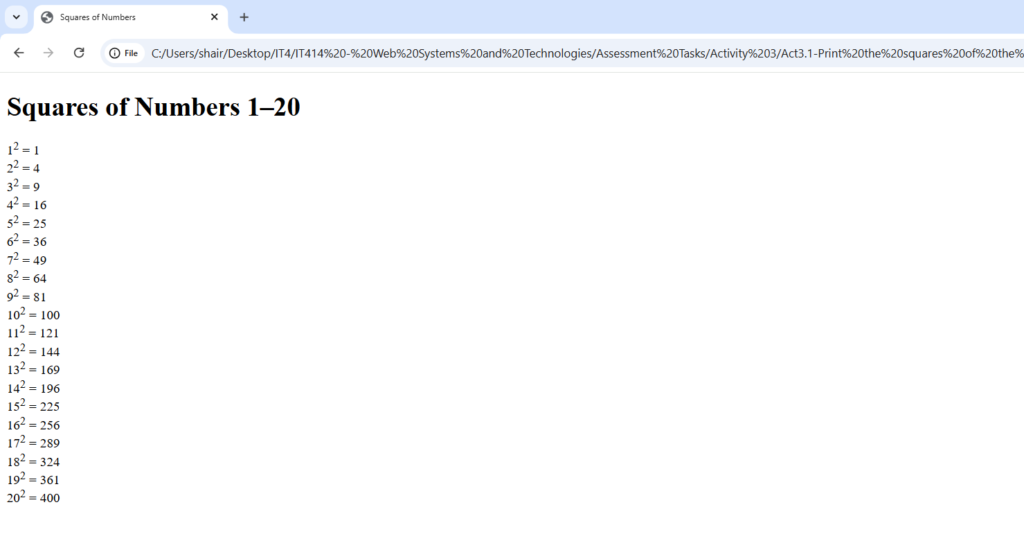
<!DOCTYPE html>
<html>
<head>
  <title>Squares of Numbers</title>
</head>
<body>
  <!-- Printing the square of numbers -->
  <h1>Squares of Numbers 1–20</h1>

  <script src="script.js"></script>
</body>
</html>

document.addEventListener('DOMContentLoaded', () => {
    const squaresOutput = document.getElementById('squares-output');
    if (squaresOutput) {
        let content = '';
        for (let i = 1; i <= 20; i++) {

            content += `${i}<sup>2</sup> = ${i * i}<br>`;
        }
        squaresOutput.innerHTML = content;
    }
Exercise 2 : 10 names ordered alphabetically
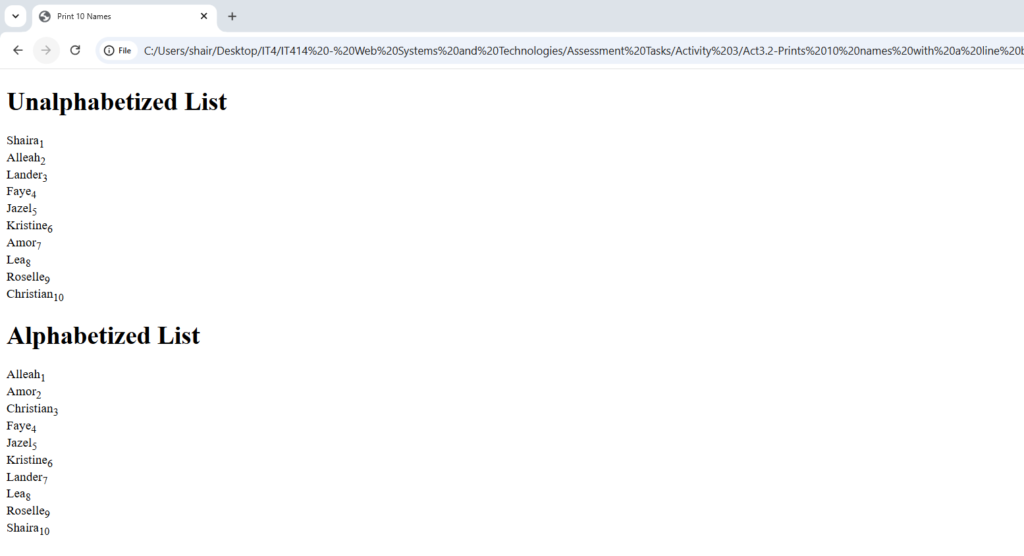
<!DOCTYPE html>
<html>
<head>
  <title>Print 10 Names</title>
</head>
<body>
   <!-- Printing names -->
  <script src="script.js"></script>
</body>
</html>
// script file
const namesOutput = document.getElementById('names-output');
    if (namesOutput) {
        // Names array from the original script.js file
        let names = ["Shaira", "Alleah", "Lander", "Faye", "Jazel", "Kristine", "Amor", "Lea", "Roselle", "Christian"];
        let content = '';

        // Unalphabetized list
        content += "<h3>Unalphabetized List</h3>";
        for (let i = 0; i < names.length; i++) {
            // Subscripted number next to each name
            content += `${names[i]}<sub>${i + 1}</sub><br>`;
        }

        // Alphabetized list
        content += "<h3>Alphabetized List</h3>";
        let sortedNames = [...names].sort();

        // Prints the alphabetized list with new subscripted numbering
        for (let i = 0; i < sortedNames.length; i++) {
            content += `${sortedNames[i]}<sub>${i + 1}</sub><br>`;
        }

        namesOutput.innerHTML = content;
    }
});
Exercise 3 : ;nbsp command
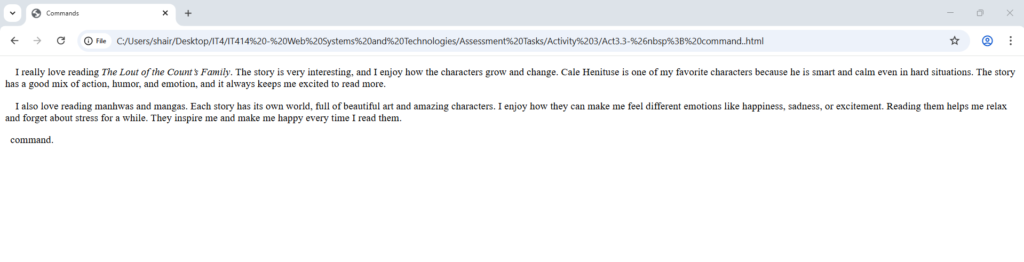
<!DOCTYPE html>
<html>
<head>
<meta charset="utf-8">
<title>Commands</title>
</head>
<body>
<p> I really love reading <em>The Lout of the Count’s Family</em>. The story is very interesting, and I enjoy how the characters grow and change. Cale Henituse is one of my favorite characters because he is smart and calm even in hard situations. The story has a good mix of action, humor, and emotion, and it always keeps me excited to read more.</p>
<p> I also love reading manhwas and mangas. Each story has its own world, full of beautiful art and amazing characters. I enjoy how they can make me feel different emotions like happiness, sadness, or excitement. Reading them helps me relax and forget about stress for a while. They inspire me and make me happy every time I read them.</p>
</body>
</html>
command.Exercise 4 : Lists
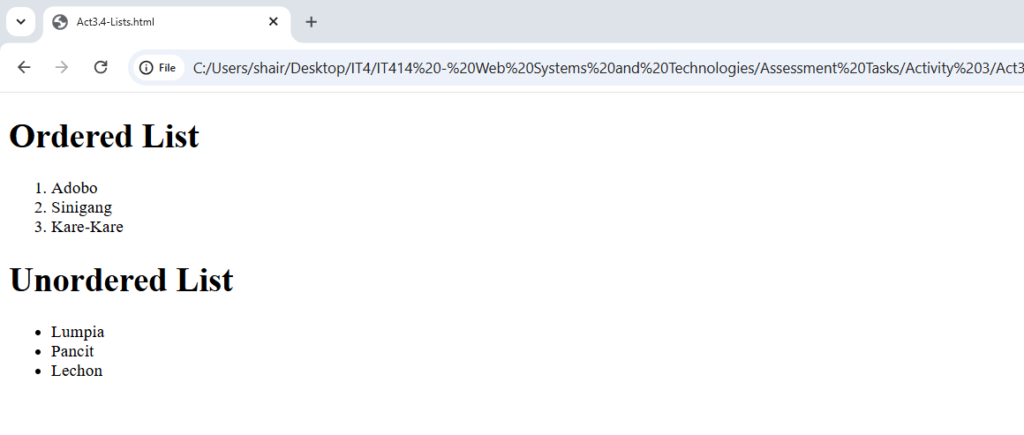
<!DOCTYPE html>
<html>
<body>
<h1>Ordered List</h1>
<ol>
  <li>Adobo</li>
  <li>Sinigang</li>
  <li>Kare-Kare</li>
</ol>

<h1>Unordered List</h1>
<ul>
  <li>Lumpia</li>
  <li>Pancit</li>
  <li>Lechon</li>
</ul>
</body>
</html>
Exercise 5 : Heading
<!DOCTYPE html>
<html>
<body>
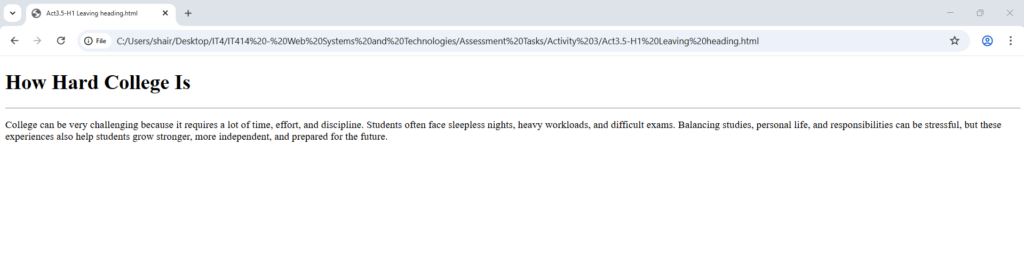
<h1>How Hard College Is</h1>
<hr width="100%">
<p>College can be very challenging because it requires a lot of time, effort, and discipline. Students often face sleepless nights, heavy workloads, and difficult exams. Balancing studies, personal life, and responsibilities can be stressful, but these experiences also help students grow stronger, more independent, and prepared for the future.</p>
</body>
</html>
Exercise 6 : Preformatted Text
<!DOCTYPE html>
<html>
<body>
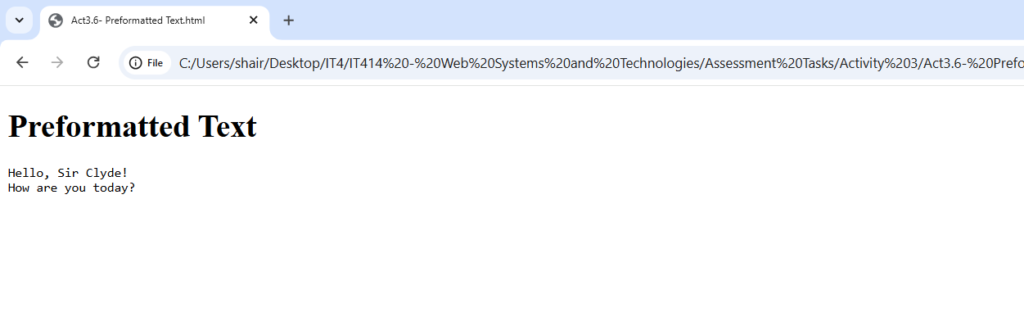
<h1>Preformatted Text </h1>
<pre>
Hello, Sir Clyde!
How are you today?
</pre>
</body>
</html>
Exercise 7 : Long and Short Quotes
<!DOCTYPE html>
<html>
<body>
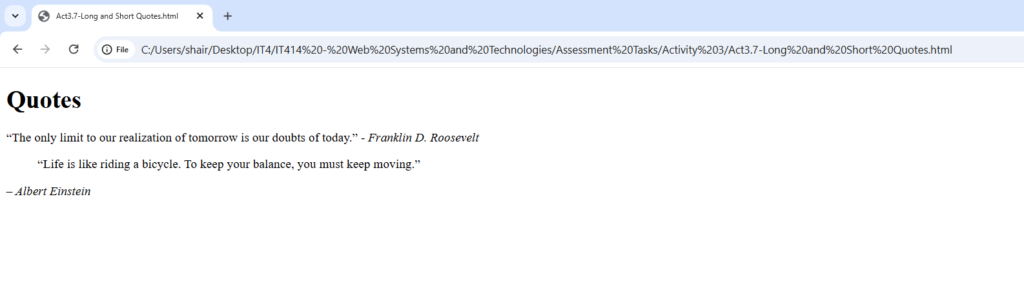
<h1>Quotes</h1>

<p><q>The only limit to our realization of tomorrow is our doubts of today.</q> - <cite>Franklin D. Roosevelt</cite></p>

<blockquote cite="https://www.goodreads.com/author/show/9810.Albert_Einstein">
“Life is like riding a bicycle. To keep your balance, you must keep moving.”
</blockquote>
<p><cite>– Albert Einstein</cite></p>

</body>
</html>
Exercise 8 : Deleted and Inserted Text
<!DOCTYPE html>
<html>
<body>
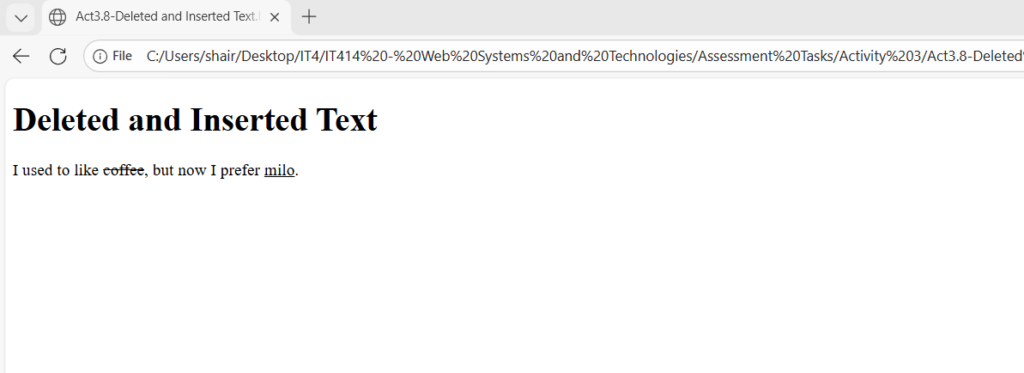
<h1>Deleted and Inserted Text</h1>
<p>I used to like <del>coffee</del>, but now I prefer <ins>milo</ins>.</p>

</body>
</html>
Exercise 9 : Definition list
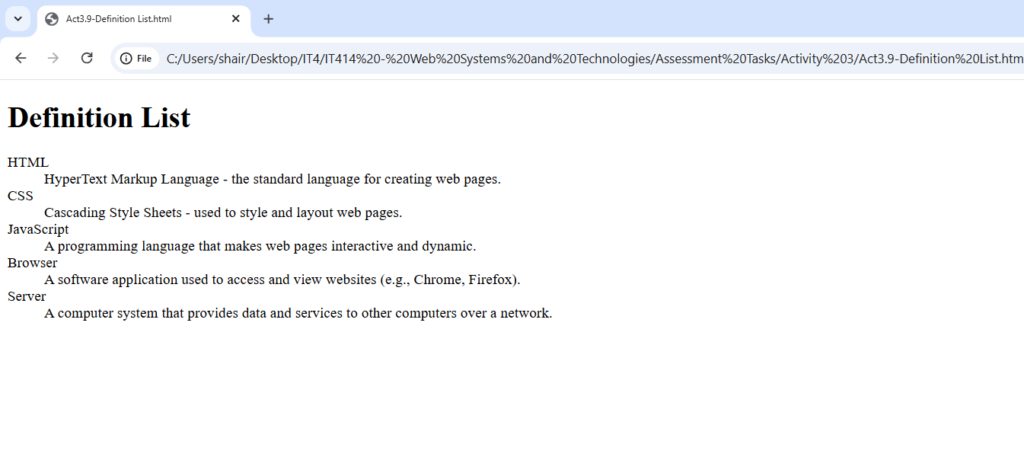
<!DOCTYPE html>
<html>
<body>
<h1>Definition List</h1>

<dl>
  <dt>HTML</dt>
  <dd>HyperText Markup Language - the standard language for creating web pages.</dd>

  <dt>CSS</dt>
  <dd>Cascading Style Sheets - used to style and layout web pages.</dd>

  <dt>JavaScript</dt>
  <dd>A programming language that makes web pages interactive and dynamic.</dd>

  <dt>Browser</dt>
  <dd>A software application used to access and view websites (e.g., Chrome, Firefox).</dd>

  <dt>Server</dt>
  <dd>A computer system that provides data and services to other computers over a network.</dd>
</dl>

</body>
</html>
Exercise 10 : Envelope Format
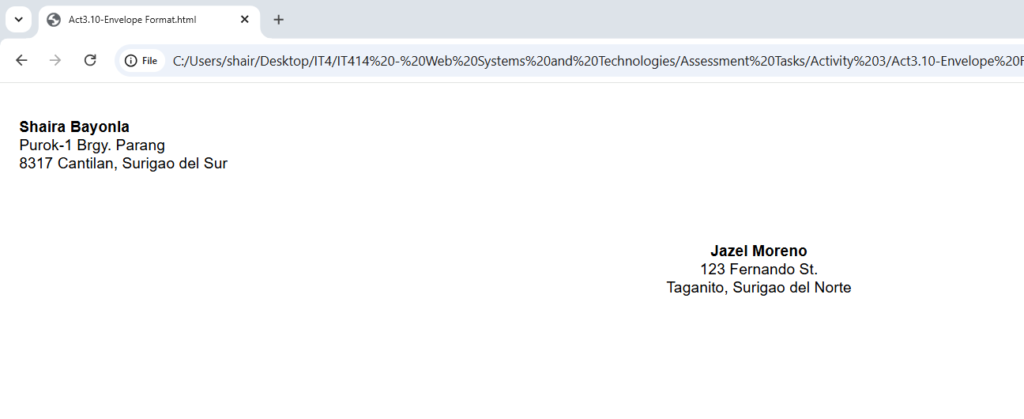
<!DOCTYPE html>
<html>
<head>
<link rel="stylesheet" href="style.css">
</head>
<body>

<br>
<div class="sender">
  <p><strong>Shaira Bayonla</strong><br>
  Purok-1 Brgy. Parang<br>
  8317 Cantilan, Surigao del Sur</p>
</div>

<div class="receiver">
  <p><strong>Jazel Moreno</strong><br>
  123 Fernando St.<br>
  Taganito, Surigao del Norte</p>
</div>

</body>
</html>
Exercise 11: Acronyms and Abbreviations
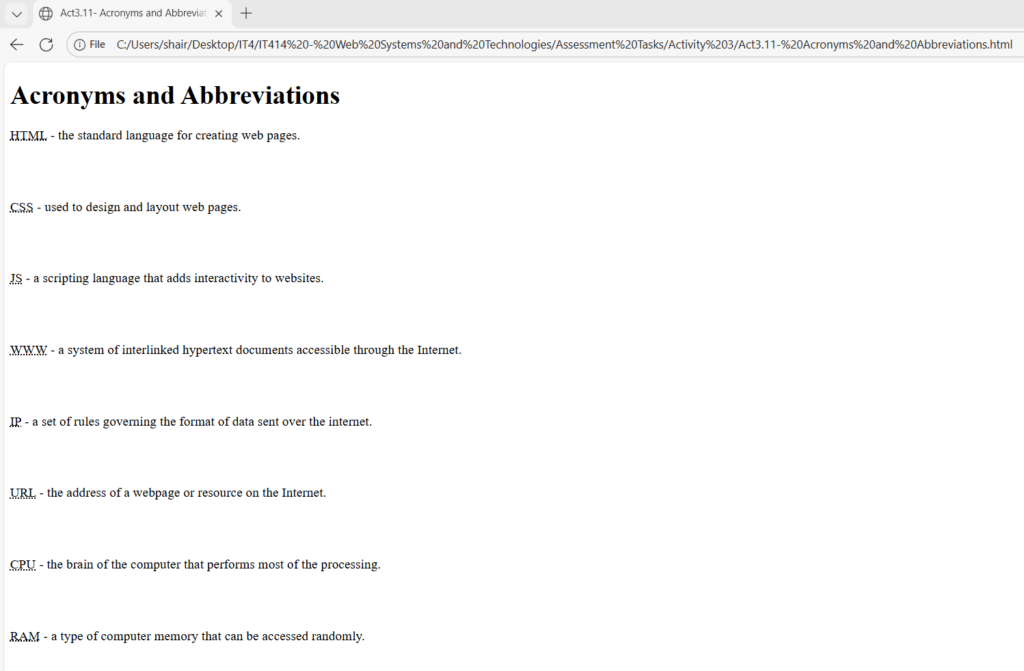
<!DOCTYPE html>
<html>
<body>
<h1>Acronyms and Abbreviations</h1>

<p><abbr title="HyperText Markup Language">HTML</abbr> - the standard language for creating web pages.</p><br><br>

<p><abbr title="Cascading Style Sheets">CSS</abbr> - used to design and layout web pages.</p><br><br>

<p><abbr title="JavaScript">JS</abbr> - a scripting language that adds interactivity to websites.</p><br><br>

<p><abbr title="World Wide Web">WWW</abbr> - a system of interlinked hypertext documents accessible through the Internet.</p><br><br>

<p><abbr title="Internet Protocol">IP</abbr> - a set of rules governing the format of data sent over the internet.</p><br><br>

<p><abbr title="Uniform Resource Locator">URL</abbr> - the address of a webpage or resource on the Internet.</p><br><br>

<p><abbr title="Central Processing Unit">CPU</abbr> - the brain of the computer that performs most of the processing.</p><br><br>

<p><abbr title="Random Access Memory">RAM</abbr> - a type of computer memory that can be accessed randomly.</p><br><br>

<p><abbr title="Read Only Memory">ROM</abbr> - a type of memory used to store permanent data in computers.</p><br><br>

<p><abbr title="Graphics Interchange Format">GIF</abbr> - a file format for images that supports animation.</p>

</body>
</html>
Learnings
Hitting the spacebar multiple times in the code doesn't actually create space on the screen, which made the command a crucial discovery for manually forcing the text to align for the envelope exercise. I also found it interesting that I could change the default bullet points to squares just by adding a simple "type" attribute, which gave me more control over the list's appearance than I expected.